

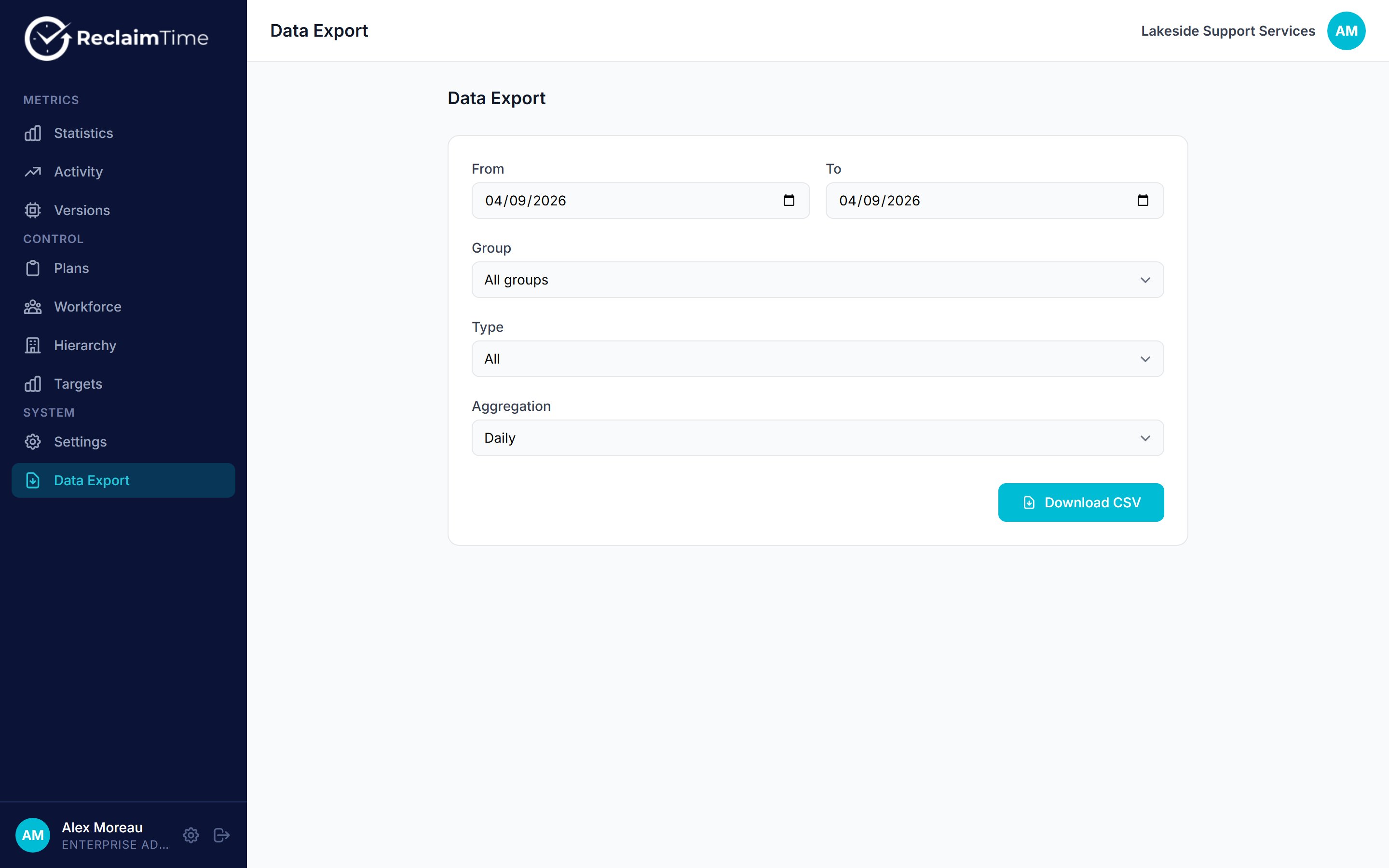
The Data Export page
Options
Click Download CSV. The browser assembles the file day by day and saves it when the range is complete, so a long range takes a while and the button stays busy until it finishes. That is deliberate: it is what lets a year of data export without the request timing out, which is how the old dashboard used to fail.
Columns
Daily aggregation gives you:
Raw records give one row per session with the session’s own start time, including the UTC offset, so a raw export can be re-bucketed into any timezone afterwards.
Rows with no username are the anonymised, non-corporate ones. They still carry a group, so they aggregate correctly at team level. Do not filter them out without understanding that you are removing real recorded time. See Corporate and non-corporate targets.
Choosing an aggregation
- Daily is what you want for reporting: a manageable file, and one row per person per target per day is the natural grain for a pivot table.
- None is for investigation: when you need to see the individual sessions, for example to check whether a long block of time was one session or many.
What is not here yet
There is no scheduled export and no emailed report. Every export is something a person starts and waits for. Scheduled exports with a download link are planned but not shipped, and this page will be updated when they are.Checked against ReclaimTime client 8.0.0.9 and dashboard V3 on 5 September 2026.