

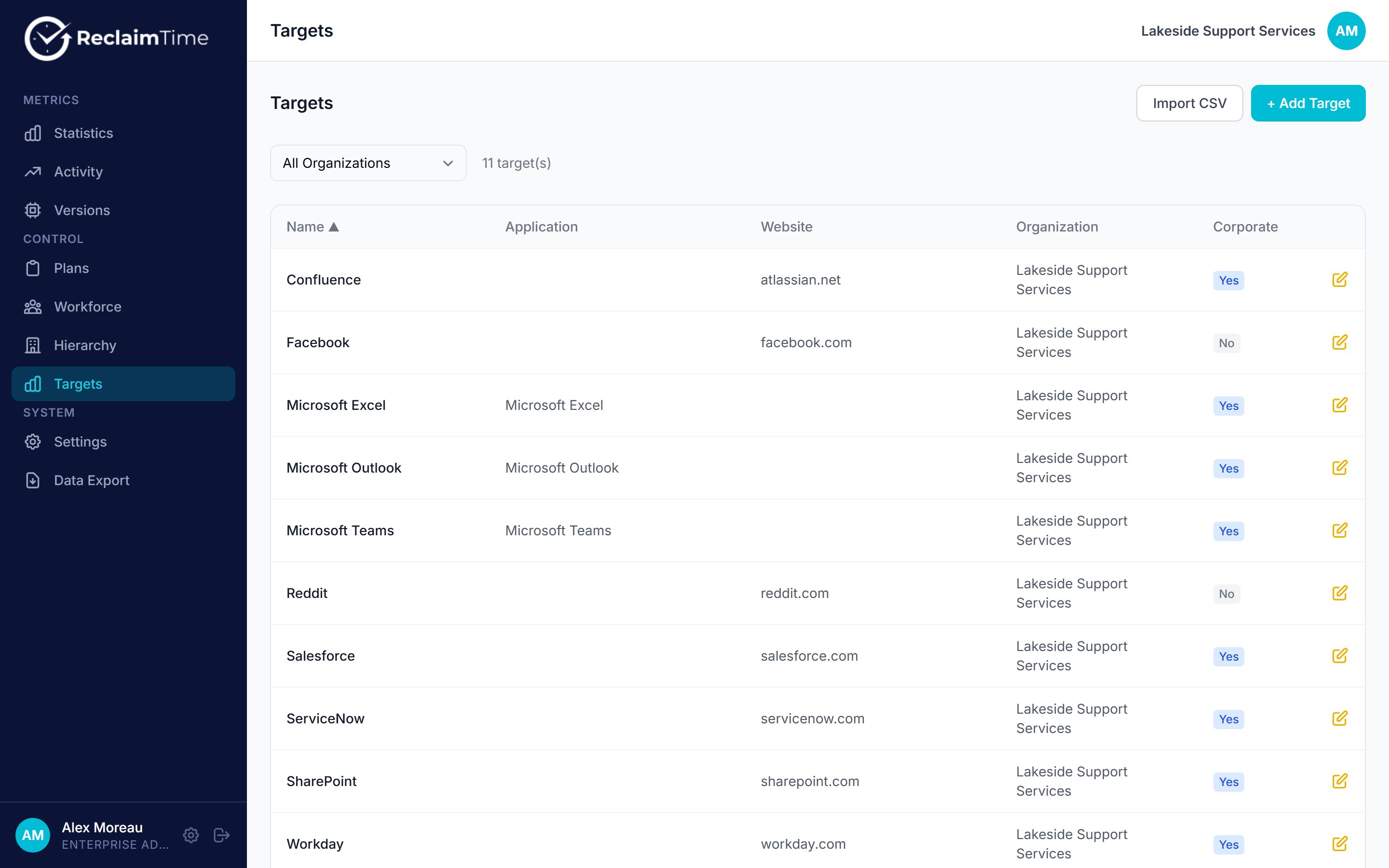
The Targets list, with the Corporate flag on each entry
An entry
Fill in either an application or a website, not both. A website entry is checked against browser activity; an application entry against everything else.
An entry with Corporate: No is not a block and it is not a deny list. It records the time, just without a name. Marking
facebook.com as non-corporate is how you count time on it at team level without attributing it to a person. Blocking is a separate feature entirely, see Plans for groups.Adding and editing
+ Add Target creates one entry. The pencil icon edits an existing one. Changes reach the machines the next time each client refreshes its copy of the list, which happens on sign-in and periodically after that, so expect a delay of minutes rather than seconds.Importing a CSV
Import CSV takes a file with five columns per row and no quoting requirements beyond normal CSV:- A first row whose first column is
nameis treated as a header and skipped. corporateis the literaltrueorfalse. Anything that is nottrueis read as false, so a blank or ayesbecomes non-corporate.- Rows with fewer than five columns are skipped silently, so check the count reported after the import against the number of lines in your file.
Keeping the list honest
The corporate list is the part of ReclaimTime that ages worst, because it is written once at rollout and then only added to on request. Worth reviewing once a year:- Entries that are no longer work. A site added for a project that ended is still counting as work, and still recording names.
- Entries that were never really work. General-purpose sites often end up on the list at rollout because they were in use at the time. Anything on it is tracked by name, so this is a privacy decision as well as a data-quality one.
- Work that is missing. A new tool that nobody added shows up as anonymised time and looks like distraction in the totals.
Checked against ReclaimTime client 8.0.0.9 and dashboard V3 on 5 September 2026.