

Simulate a supervisor
When a supervisor says a team is missing or a number looks wrong, the fastest answer is to look at their view rather than describe it to each other. On Workforce, the eye icon on a supervisor’s row switches you into their view. The dashboard then shows exactly what they see: their groups, their navigation, their numbers. A banner tells you that you are simulating, and there is a link to stop and return to your own account. Two rules:- You can only simulate an account with a lower role than your own. An enterprise admin can simulate a supervisor, not another admin.
- You cannot simulate a standard user. They have no dashboard, so there is nothing to look at. The eye icon does not appear on their rows.
This is the quickest way to diagnose the most common supervisor complaint. If their view is empty, the cause is almost always the group assignment on their account, and specifically more than one group being set. See the warning in Roles and permissions.
The access log
Your profile page carries a record of dashboard sign-ins.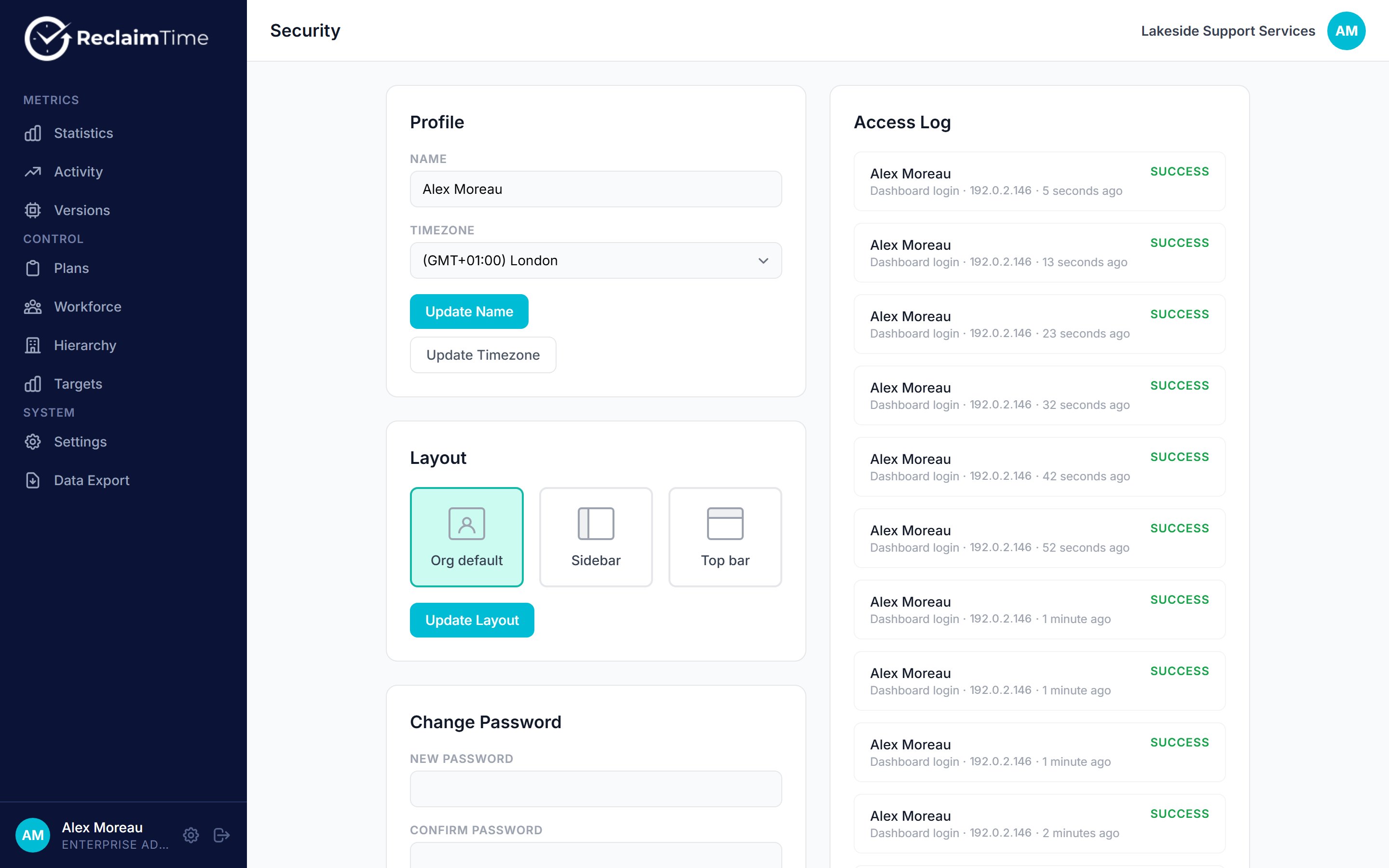
The profile page, with the access log below the account settings
It records both successful and failed attempts, with the time and the email used, and shows the most recent twenty.
This is a dashboard sign-in log, not an audit trail. It does not record what anyone did once they were signed in, and it does not record desktop client sign-ins, which are on the Versions page instead. A full audit log of administrative actions is planned but not shipped.
The rest of the profile page
The same page carries your own settings:The timezone here changes how days are bucketed for you. If two administrators compare a daily figure and disagree, check that they are both on the same timezone before looking for a data problem.
Checked against ReclaimTime client 8.0.0.9 and dashboard V3 on 5 September 2026.